Install PLAID.
Three ways, on Ubuntu, Debian or Docker. All of them end the same way: open http://<your-server>:32500.
Pick one.
Script
Ubuntu or Debian. Installs a system service that starts on boot. No Docker needed.
curl -fsSL https://raw.githubusercontent.com/gh-prim/plaid/main/packaging/install.sh | sudo bashIt checks the package’s checksum before installing. Read it first, it’s short.
Debian package
- Download
plaid_<version>_amd64.deb(or_arm64.deb) andchecksums.txtfrom the latest release. - Check it (optional):
sha256sum -c --ignore-missing checksums.txt - Install:
sudo apt install ./plaid_<version>_amd64.deb
/usr/bin/plaid | The server |
|---|---|
/etc/plaid/plaid.env | Configuration, kept on upgrades |
/var/lib/plaid | Your data, never deleted automatically |
plaid.service | Enabled and started, runs as the plaid user |
Docker
git clone https://github.com/gh-prim/plaid.git && cd plaiddocker compose up -dMount your media folders read-only in docker-compose.yml, then use the paths inside the container when you add a library.
Open it.
http://<your-server>:32500
The first visit walks you through the admin account, your folders and their language.
Setup only works from your local network. From elsewhere, PLAID asks for the setup code it prints in its log.
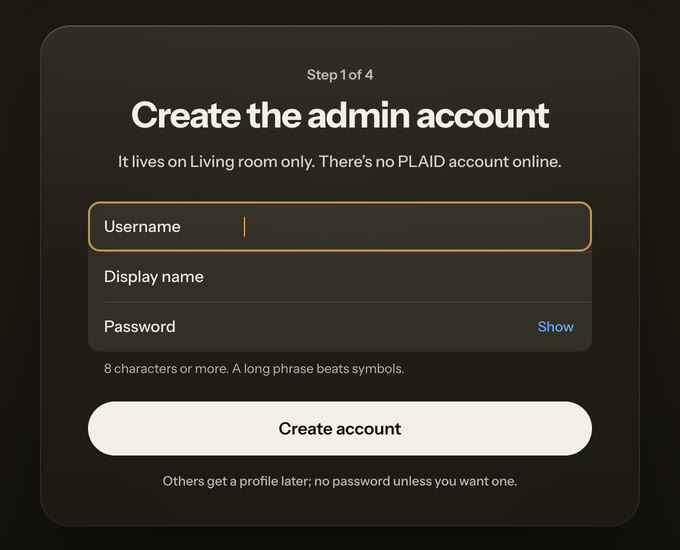
Point it at your folders.
Movies and shows, each library in its own language. PLAID scans them, matches titles and fetches artwork. It never writes to your media.
The native package runs PLAID as the plaid user, which can’t read your home folder by default. Give it read access.
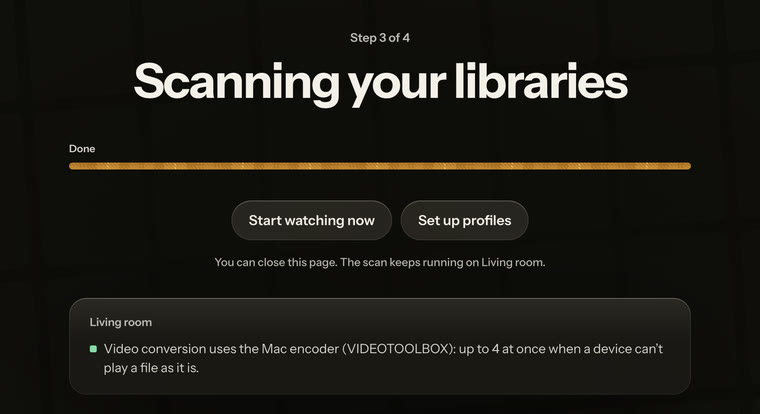
Needs
What it runs on
| Systems | Ubuntu 24.04 LTS and 26.04 LTS, Debian 12 and later |
|---|---|
| Architectures | amd64 (most PCs), arm64 (Raspberry Pi 4 and 5 with a 64-bit OS, ARM servers) |
| Also installed | FFmpeg, from your distribution |
After
Everyday commands
Is it running, and what is it saying?
systemctl status plaidjournalctl -u plaid -f